In development · iPhone, iPad, Android, Apple Watch
Small habits, one tap a day.
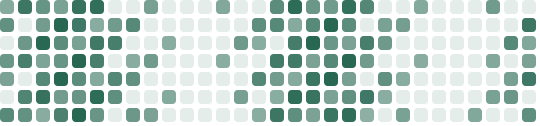
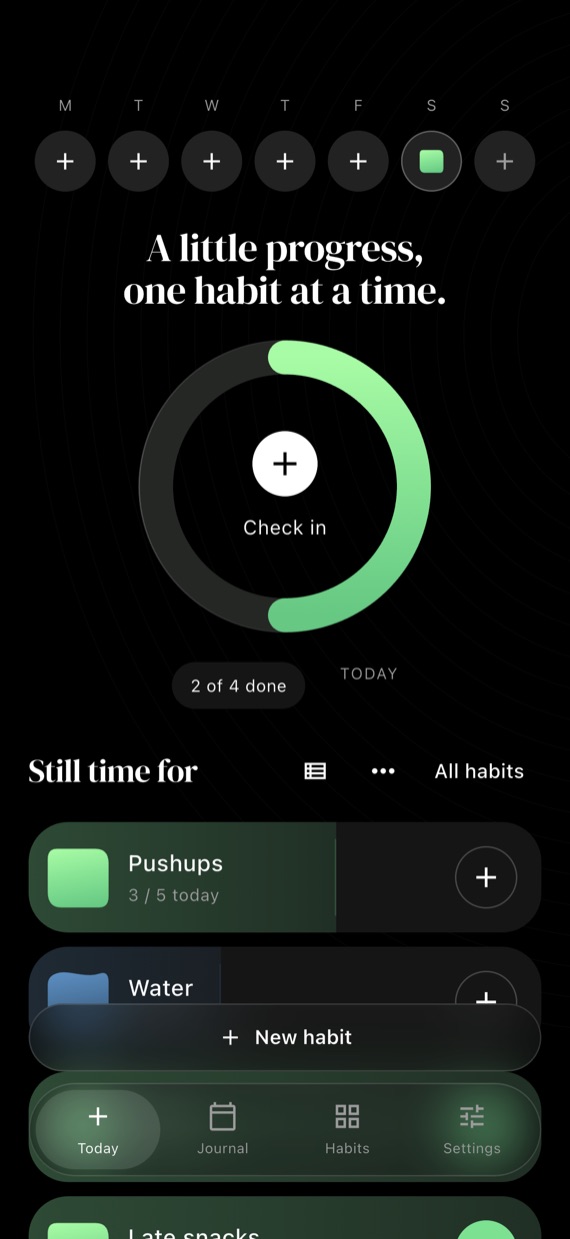
Tap once to log a habit and watch the days fill in on a calendar grid. Free to use, private by default, and no account needed.
Coming soon to theApp Store
Coming soon toGoogle Play
Not released yet. Screens on this page come from the current prototype with sample data. The app follows your device language (English, Korean, Japanese, Chinese, Spanish, French, German, Portuguese); other languages show English.
- No account
- No ads
- Data stays on your device
- Free plan with 4 habits
How it works
Three steps, and the second one takes about a second.
Pick a habit
Start from an example like “Drink water · 2 L” or “Walk · 10 min”, or write your own. Choose every day, certain weekdays, or a weekly target.
Tap to log
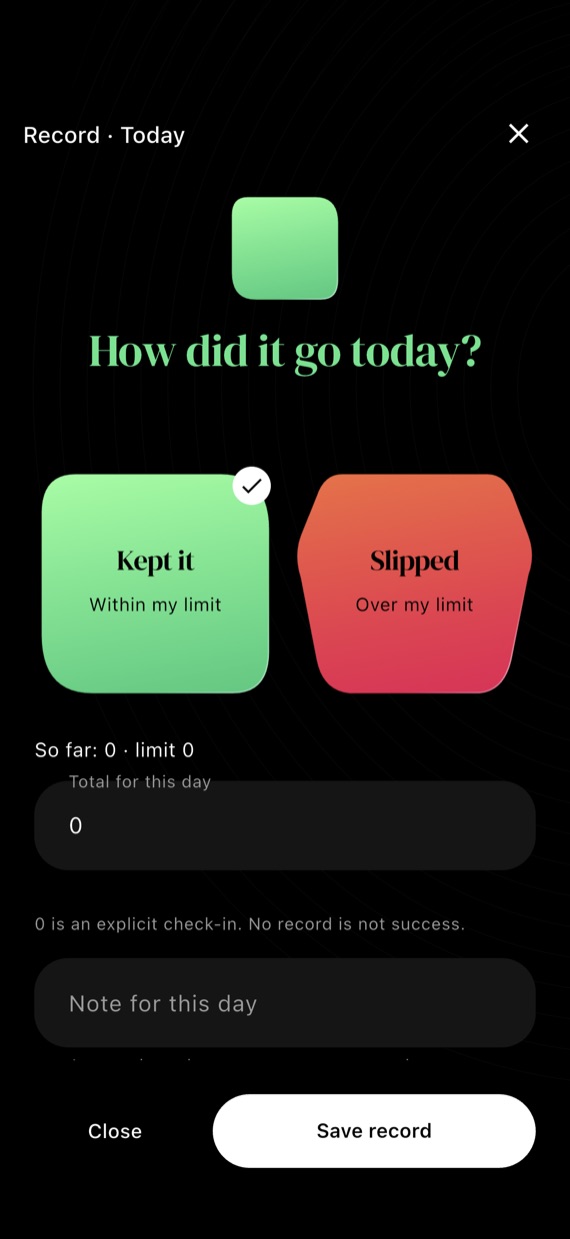
One tap marks it done. Counts and amounts add up through the day, and habits you’re cutting back get a one-tap “Kept it”, with “Slipped” one step away.
Watch it add up
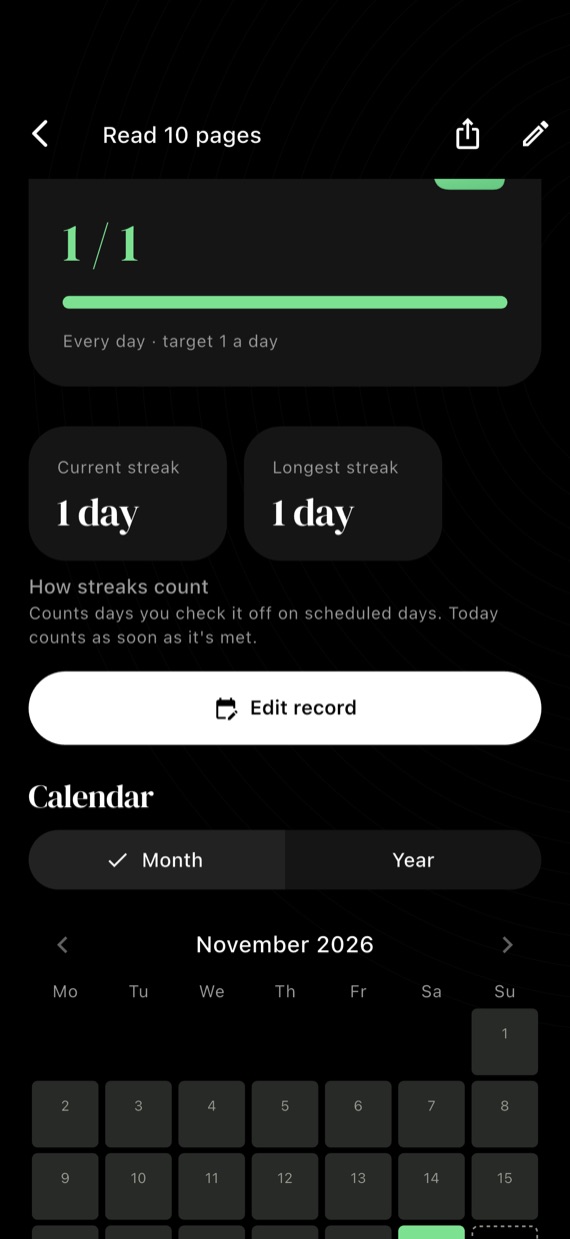
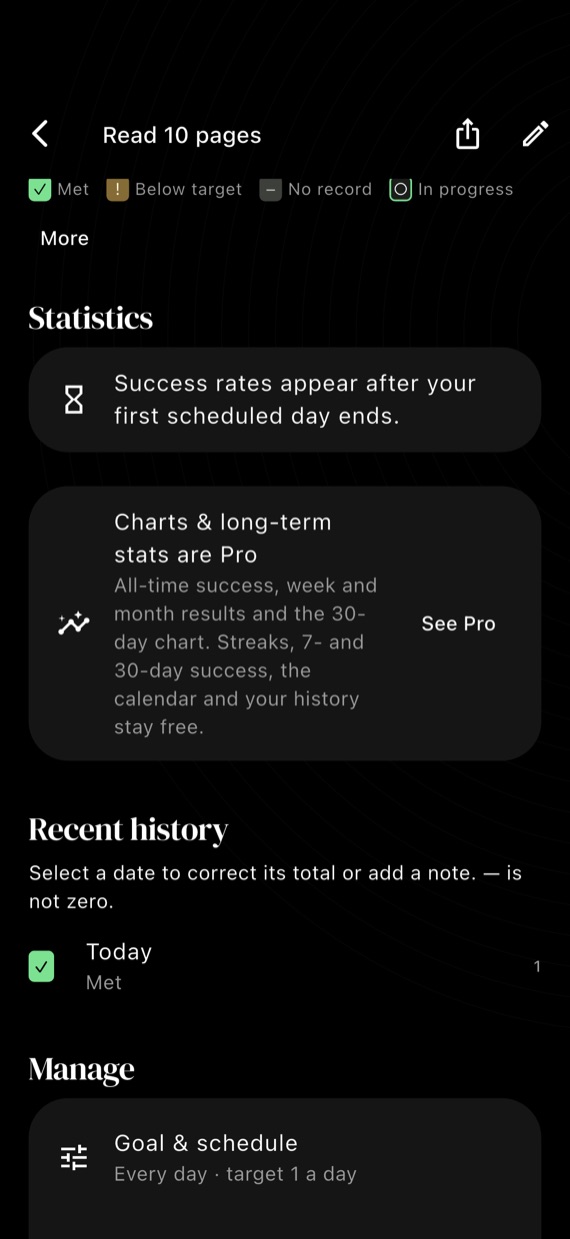
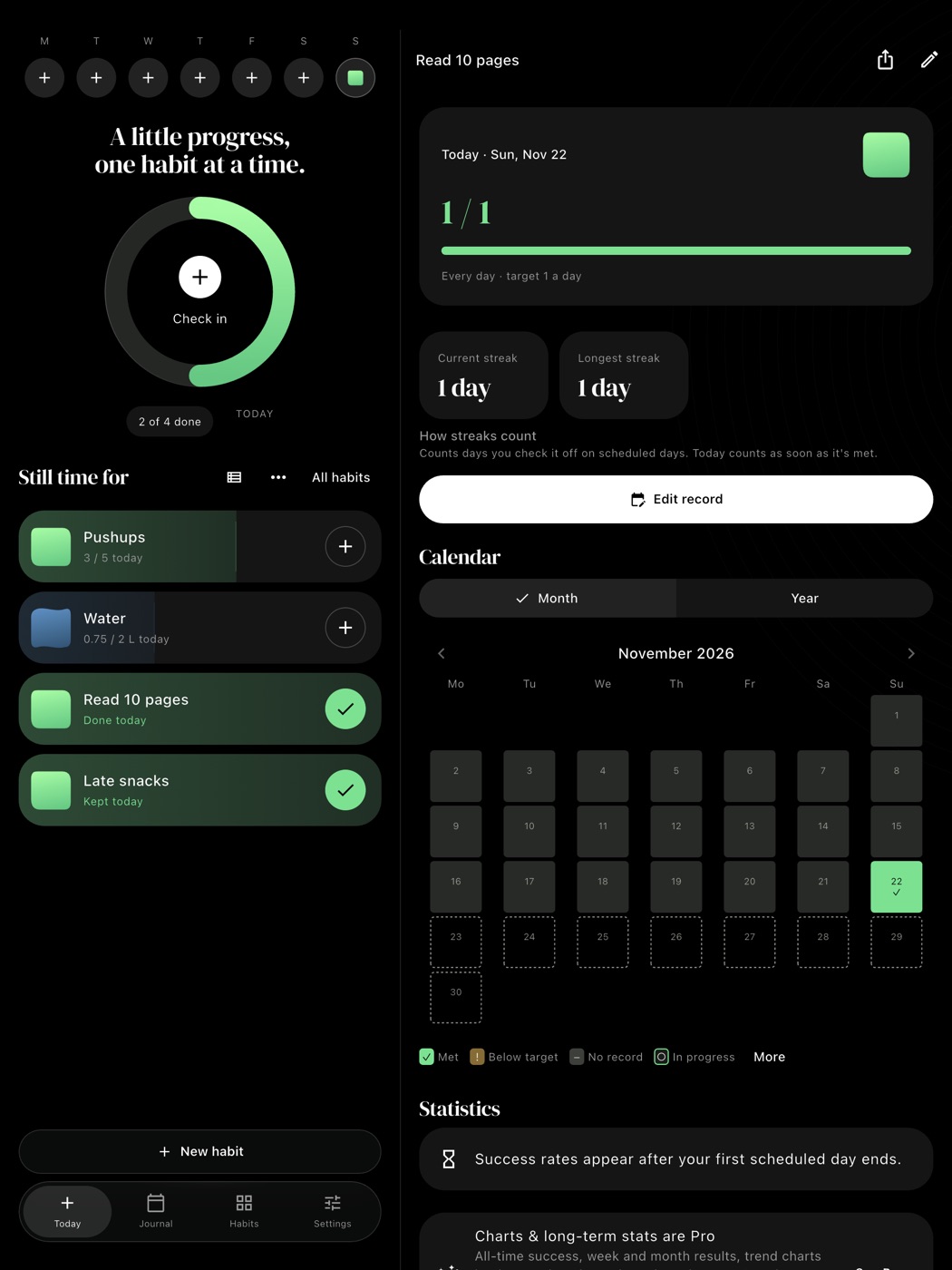
Every day you log fills a square. Streaks, a month or year calendar, and your 7- and 30-day success rate show how it’s going.
Built for the way days actually go
A minimal first screen, with the details there when you need them.
Any kind of habit, still one tap
- Check-off habits for things you do once a day.
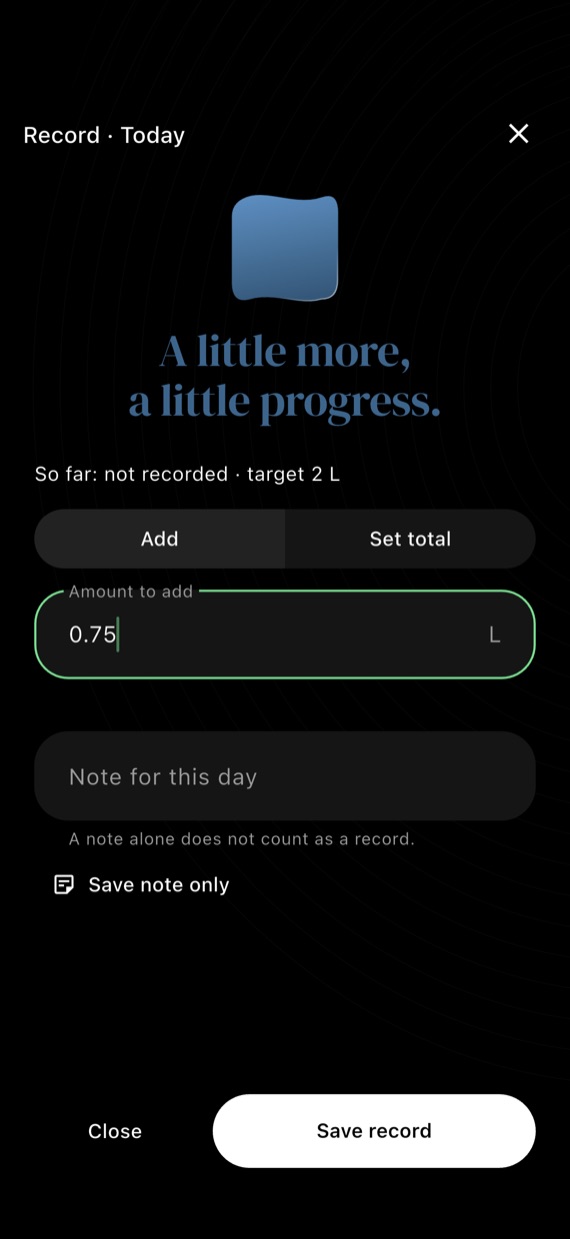
- Counts and amounts with units (like 0.75 L) that add up as you go. Adding is the default, and you can still set a total.
- Quit habits for things you’re cutting back: one tap on the row records Kept it, and the record screen offers two plain choices, Kept it or Slipped.
- Add a short note to any day.
Streaks that explain themselves
A streak that suddenly reads zero is frustrating. Each habit shows how its streak is counted in plain words, right next to the numbers.
- Current and longest streak.
- Month and year calendar grids.
- Success rate for the last 7 and 30 days, free.
Fix the date, not your history
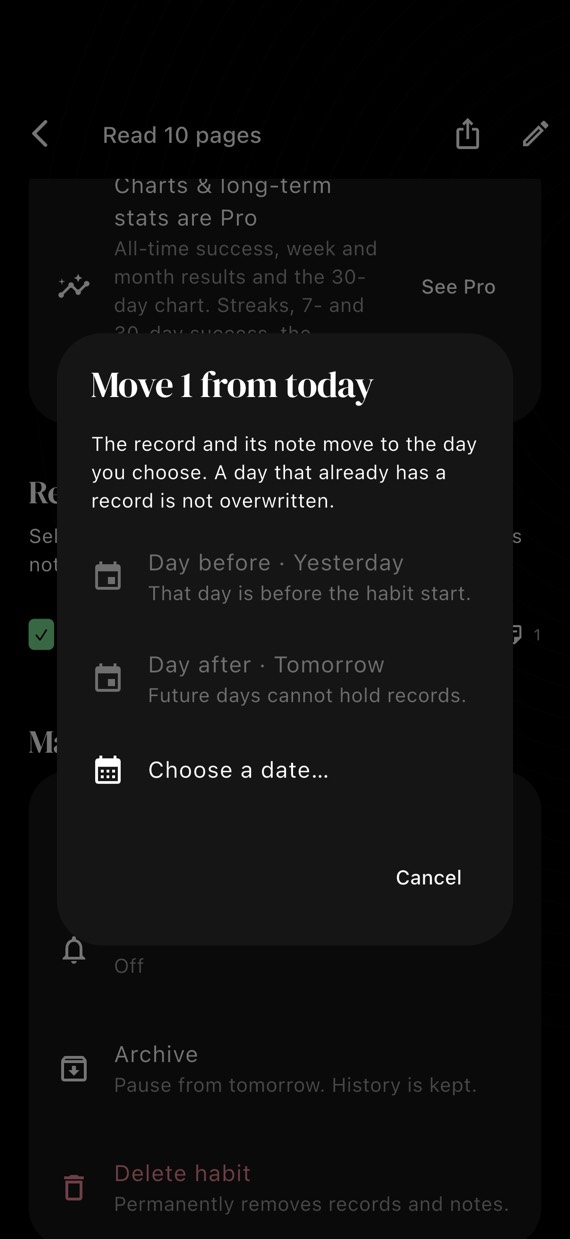
Logged something on the wrong day? Move it to another day, note included, with undo. If the other day already has a record, nothing gets overwritten.
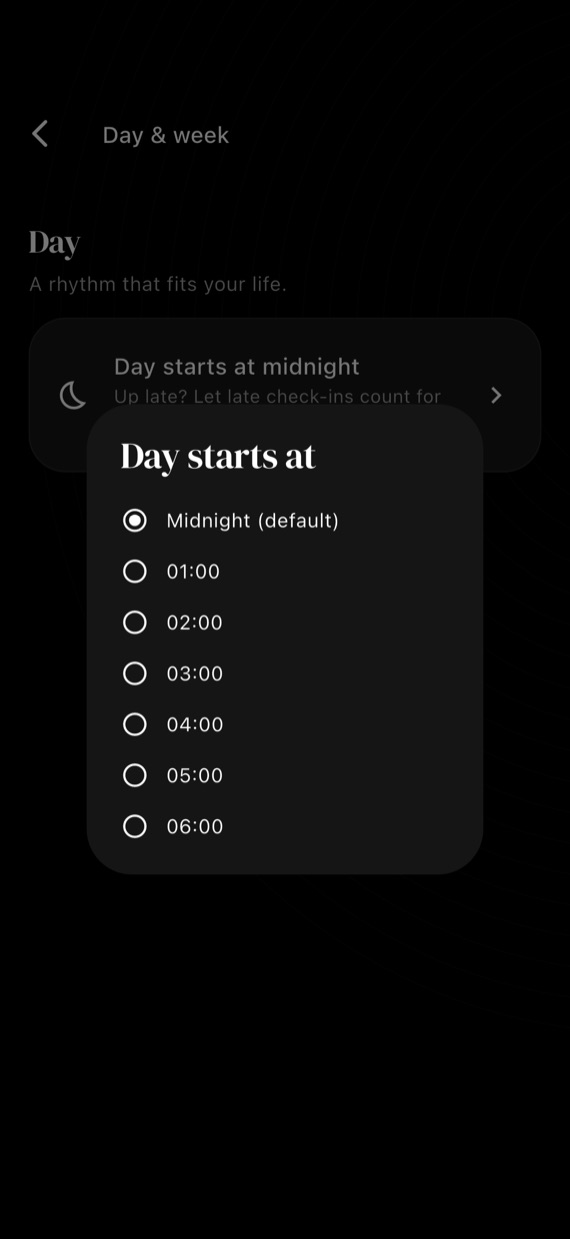
Up past midnight? Let your day start at 1–6 AM, so a late check-in still counts for the day you were finishing.
Your data, on your device
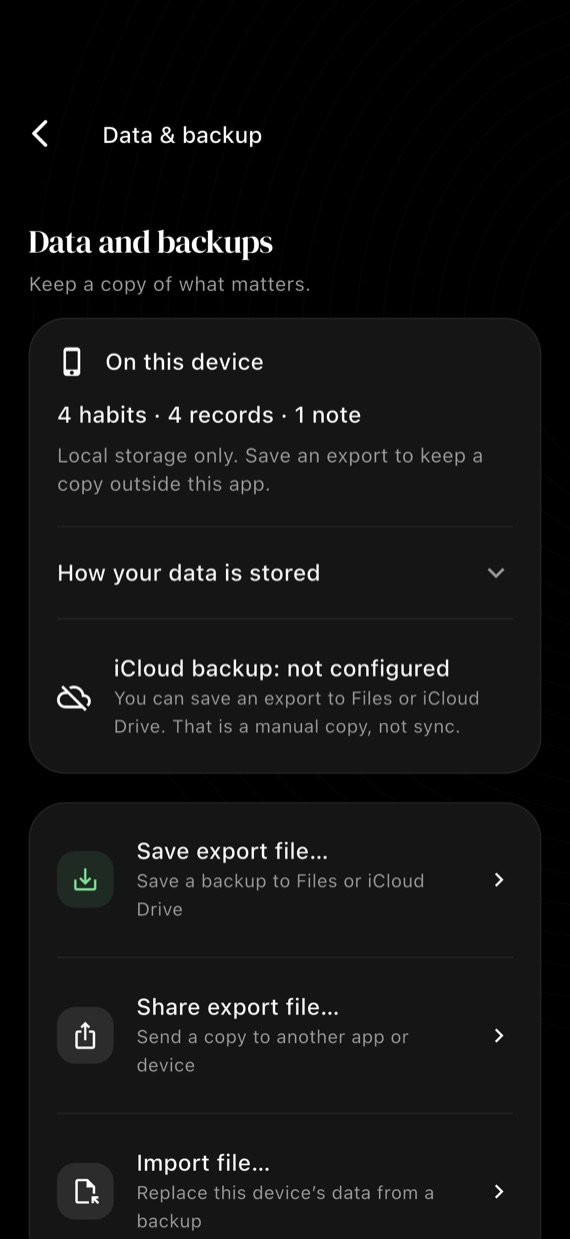
Habits, records and notes are stored in a database on your phone. There is no account and no cloud copy unless you make one.
- Export everything to a file and import it again, with a preview first.
- Automatic daily restore points on the device.
- Sync between devices is planned, not available yet. Until then, export files are how you move data.
There when you need it, outside the app too
- Home screen widgets on iPhone and Android. Viewing is free; logging straight from a widget is Pro.
- Shortcuts actions on iPhone.
- A basic Apple Watch app for today’s list and check-ins. Wear OS is planned.
- iPad split view: your list on one side, details on the other.
- Reminders per habit and an optional daily check-in, skipped automatically once today is done.
These parts are built in the prototype and tested in simulators; they have not been tested on real devices yet.
What we promise
We can’t show you reviews yet. We can tell you how the app is built.
No account
Open the app and start. There is nothing to sign up for.
No ads, no feed
The app is paid for by an optional Pro upgrade, not by your attention.
Your data stays on your device
We don’t run a server for your habits. Export files go wherever you choose to put them.
Nothing locked when Pro ends
If Pro ends or is refunded, your habits and history stay. You can still view, correct, export and restore them.
Analytics only if you say yes
Usage events and crash reports are off until you allow them, and never include habit names, notes or values.
Clear about limits
The free plan’s limits are shown before you reach them, not after.
Free, with an optional Pro
The free plan has no time limit. Pro adds more room and deeper stats.
Free
Free to use
No time limit, no trial clock.
- Up to 4 active habits
- 1 reminder per habit, plus a daily check-in
- Streaks and 7- / 30-day success summary
- Month and year calendar grids
- Home screen widgets (view only)
- Notes, archive, move records, day start time
- Export / import and on-device restore points
- Apple Watch app and Shortcuts
Pro
Prices to be announced
MonthlyYearlyLifetime (one-time)
- Everything in Free
- Unlimited habits
- Up to 3 reminders per habit
- Log straight from widgets
- Charts and long-term stats
- Bring archived habits back
No free trial. Purchases go through the App Store or Google Play, and subscriptions are managed and refunded there.
Questions
When can I download it?
Not yet. The app is in development and hasn’t been released on any store. There is no release date to announce.
Do I need an account?
No. Everything works without signing up.
Does it sync between my devices?
Not yet. Sync is planned. Today you can export a file on one device and import it on another.
What happens to my habits if Pro ends?
They stay. You can still see, correct and export them. Only new habits beyond the free limit and Pro-only features need Pro again.
How much is Pro?
Prices haven’t been decided. There will be monthly, yearly and lifetime options, and no free trial.
More answers in Help →
Start small. Keep going.
Coming to iPhone, iPad, Android and Apple Watch.
Coming soon to theApp Store
Coming soon toGoogle Play
One tap a day adds up to a year.